AI Pet Portrait Generator
Upload one photo of your pet, pick a style and Pawtamo repaints it as a portrait. Compare 3 free watermarked previews before you spend anything.
Create your portrait
1Upload a photo
- One pet, face and ears fully visible
- Bright, sharp, eye-level photo
3Get 3 free previews
Add a photo of your pet to continue.
Photo tips
Which photo works best
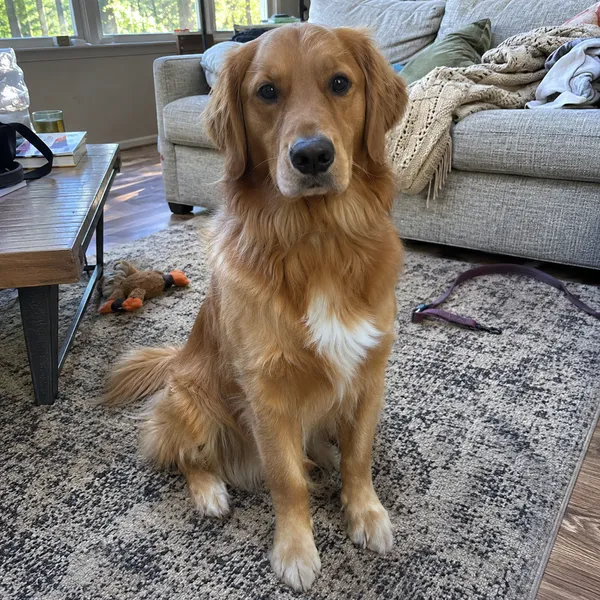
GoodBright and sharp 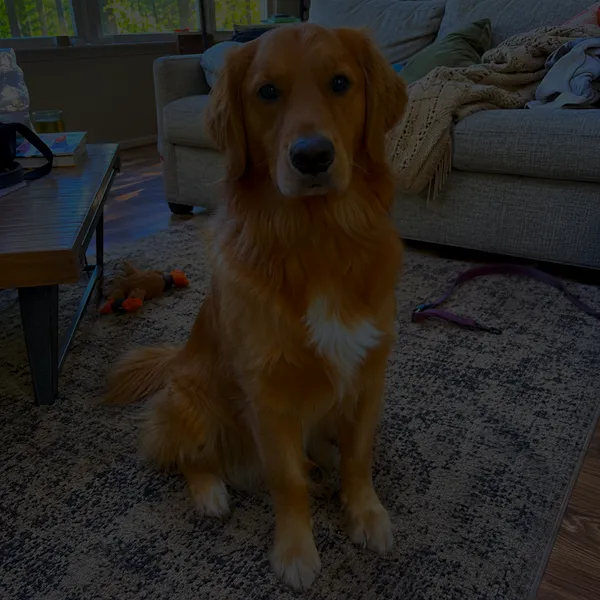
AvoidToo dark 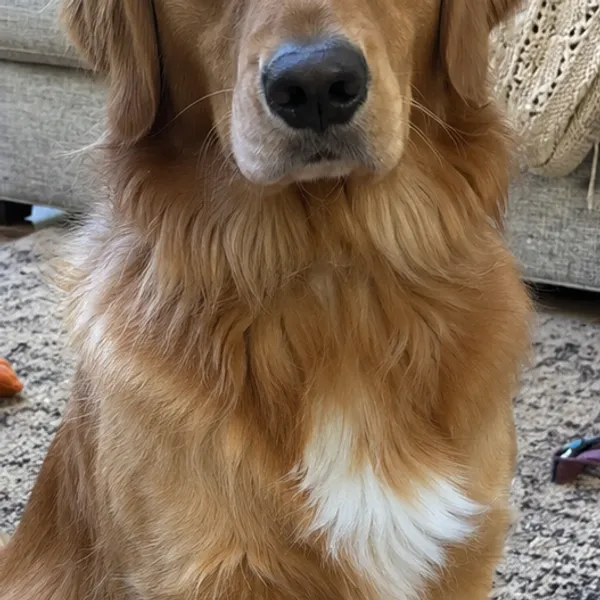
AvoidEars cut off 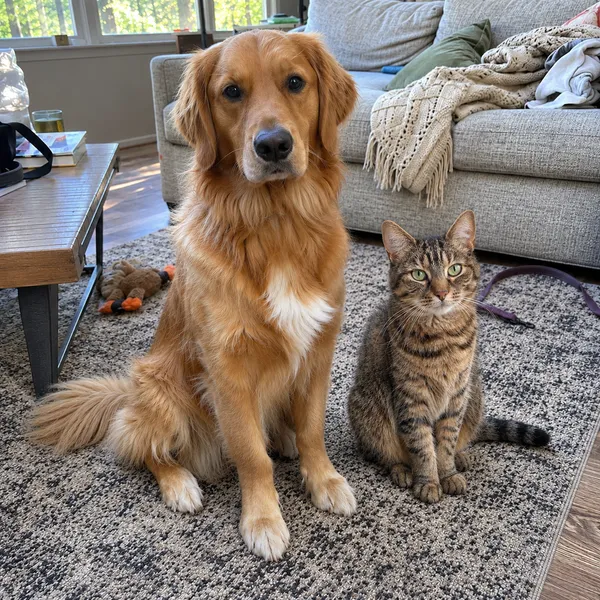
AvoidTwo pets in one photo
- Use daylight or bright indoor light; avoid flash glare.
- Shoot at your pet’s eye level so the face is not distorted.
- Keep the whole head and both ears in the frame and in focus.
- One pet per photo. Your photo is only used to paint your portraits; see our privacy policy.
How it works
How the generator works
 1
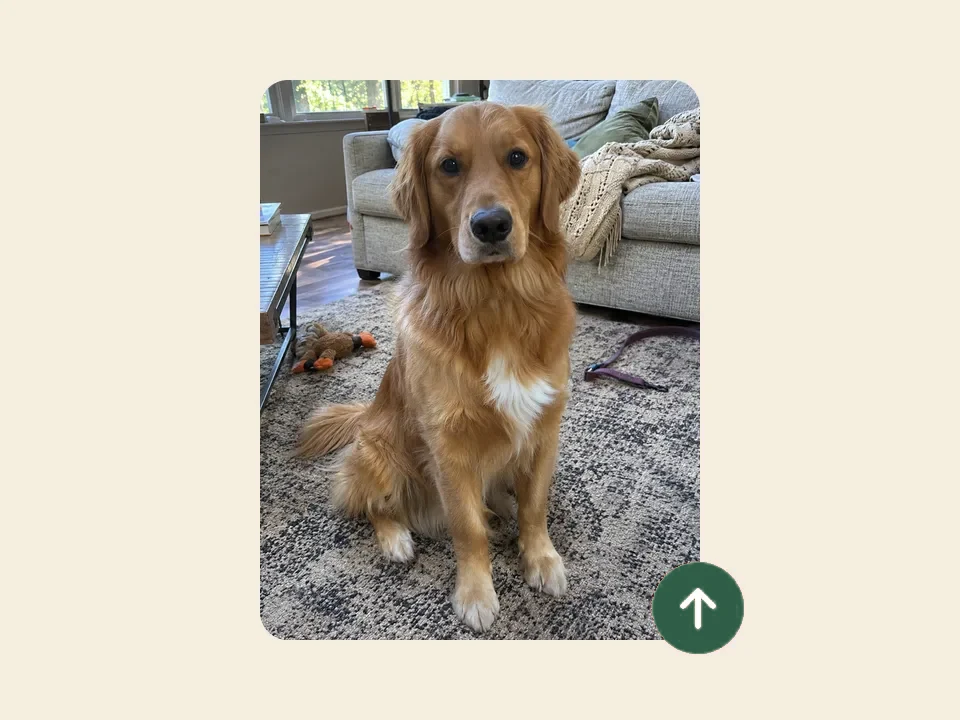
Upload a photo
Choose a clear photo where your pet’s face is easy to see. Daylight and eye level work best, straight from your phone.
 2
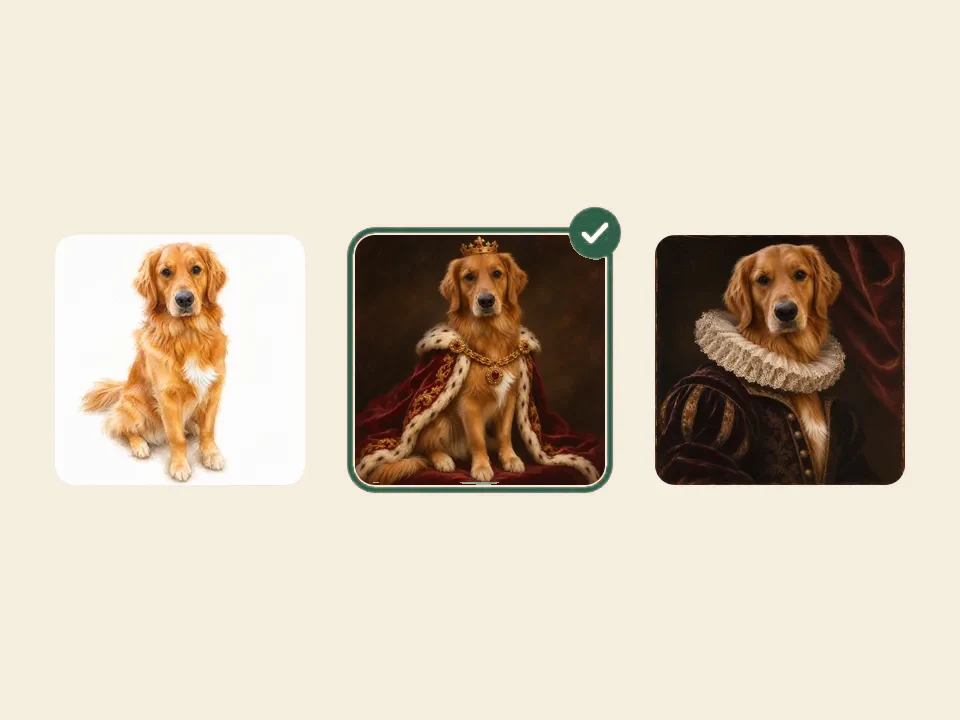
Pick a style
Watercolor, royal or Renaissance. Each style keeps your pet’s breed, markings and expression and changes everything around them.
 3
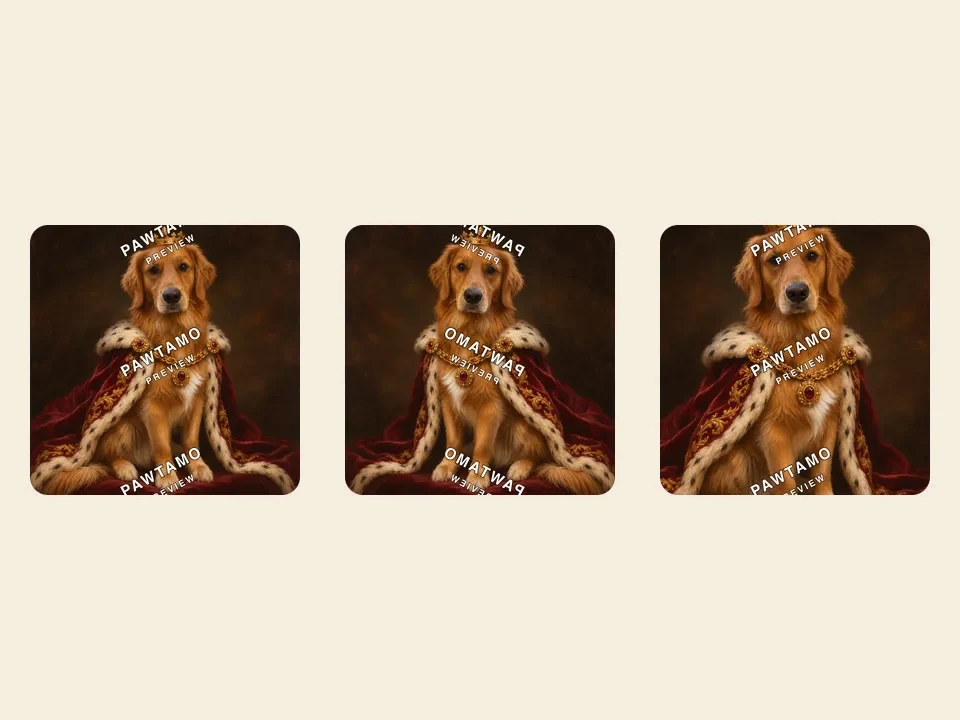
Get 3 free previews
In about a minute Pawtamo paints 3 watermarked versions. Buy the one you love; every purchase includes 2 free regenerations.
Step images are illustrations with a sample pet.
Most AI image tools start from a text prompt and invent an animal that looks roughly like the breed you typed. That is fine for illustrations, but it is not a portrait of your pet. The Pawtamo AI pet portrait generator uses an image-to-image model instead: it starts from your actual photo and changes the painting style, not the animal.
Reading your photo
The model first looks at what makes your pet recognizable: the shape of the face and ears, eye color, fur length, color and pattern, and distinctive markings such as a blaze on the nose or a single white paw. These are treated as details that must survive the transformation, which is why a sharp photo matters more than anything else.
Repainting in a style
Each style comes with its own carefully written instructions. For watercolor that means translucent washes and soft edges; for the royal style a velvet robe, ermine and a crown; for Renaissance a period costume, earthy palette and old-master lighting. The model combines those instructions with your photo and paints a new image rather than placing a filter over the original.
Three variations at once
Every run produces 3 variations so you can compare pose, color and expression side by side. AI painting always has some randomness, so seeing three versions makes it more likely that one of them is exactly right. Every purchase also includes 2 free regenerations in case you want to repaint your favorite.
Examples
One photo, three styles
- Watercolor pet portraits →
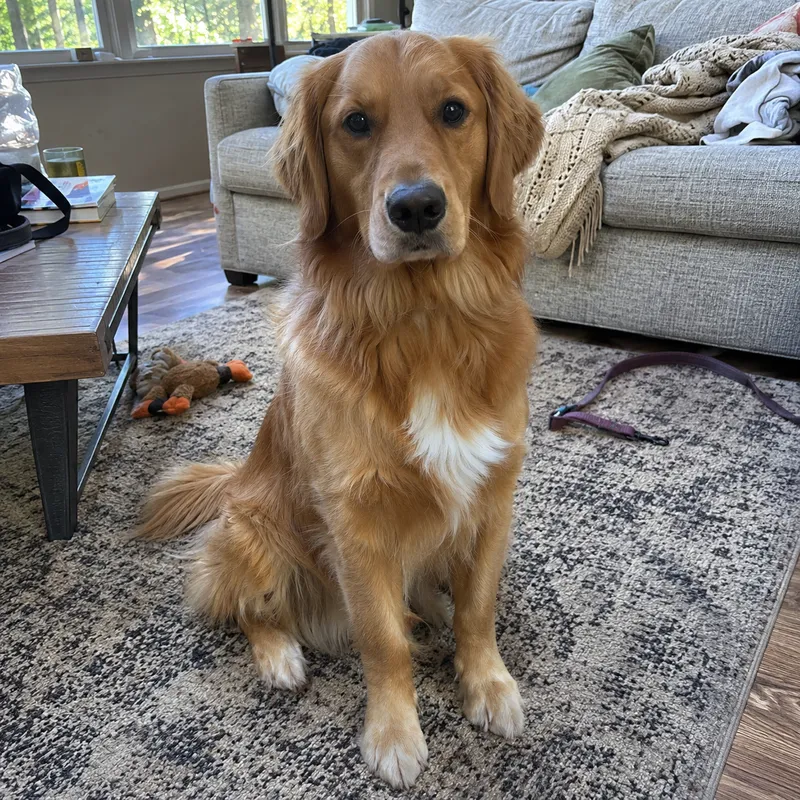
Your photo 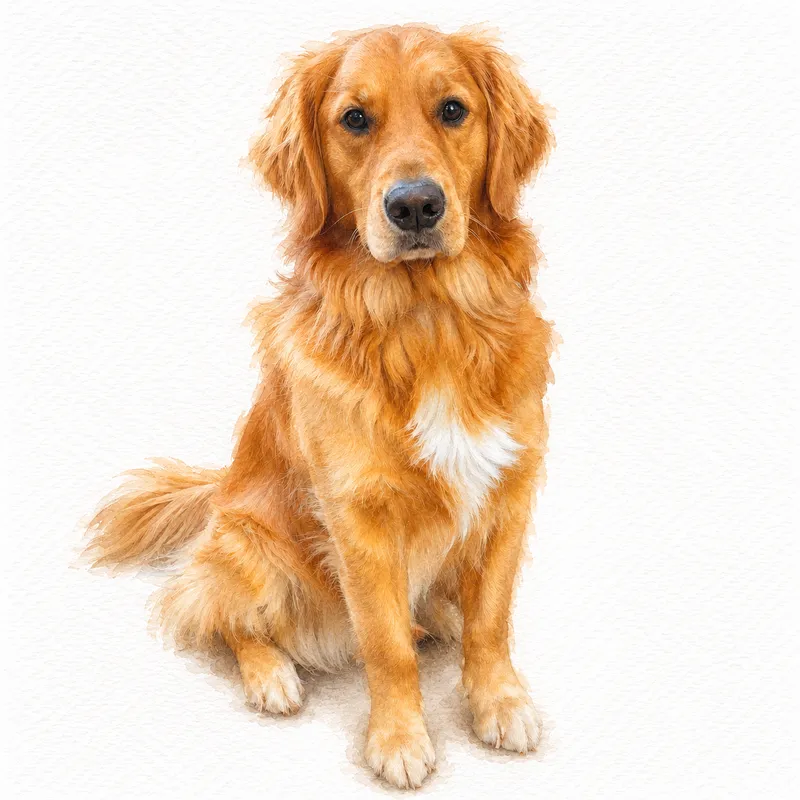
Pawtamo portrait - Royal pet portraits →
Your photo 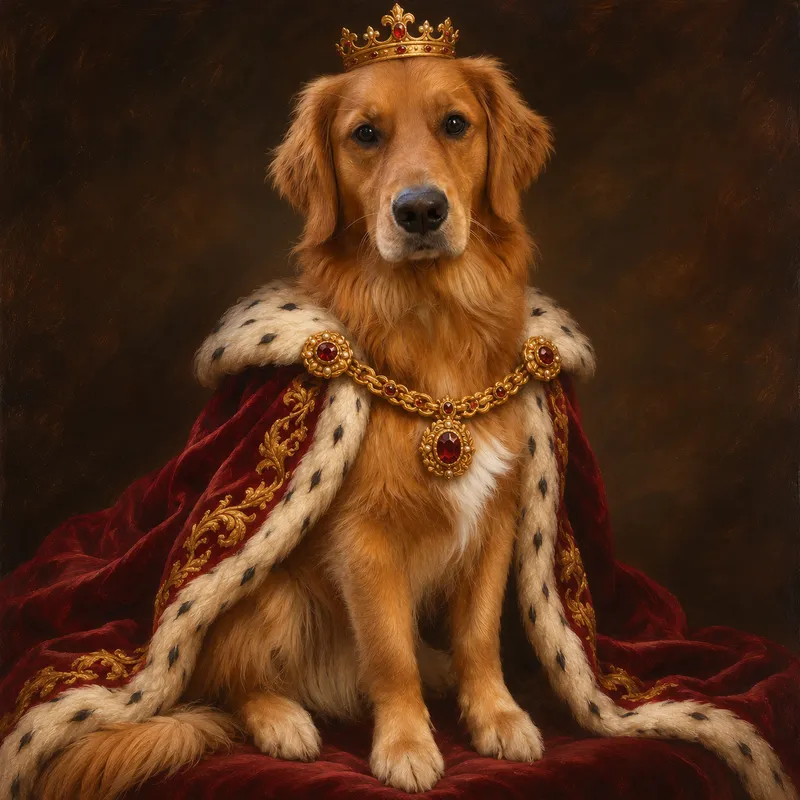
Pawtamo portrait - Renaissance pet portraits →
Your photo 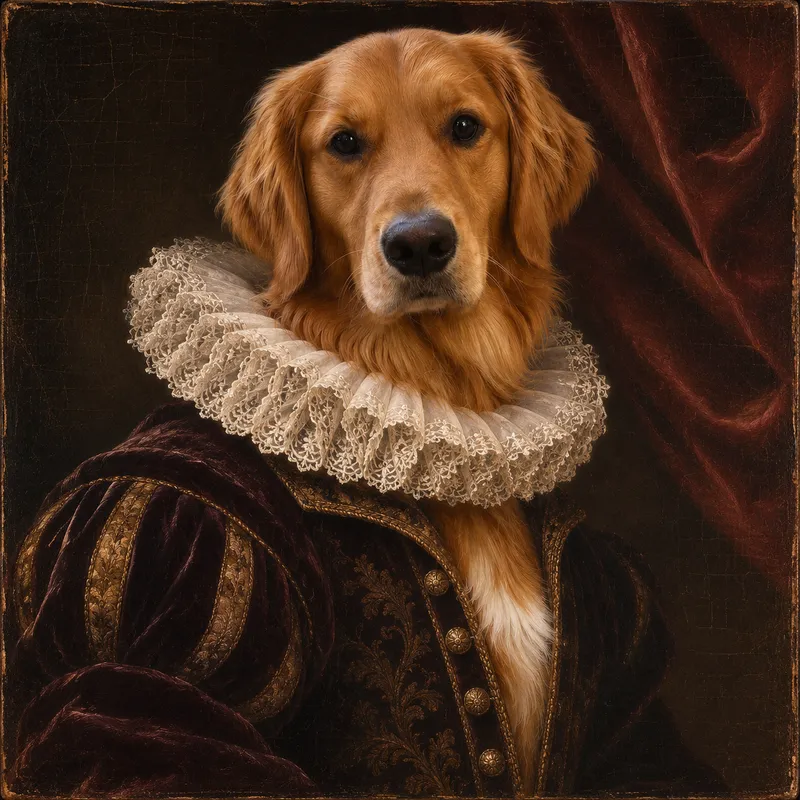
Pawtamo portrait
The free preview, step by step
You do not need an account to try the generator. Upload a photo, choose watercolor, royal or Renaissance and press the button. Usually about a minute later Pawtamo shows 3 watermarked previews. The watermark only protects the full-resolution file; the previews are otherwise the same portraits you would download. Free previews are limited to 3 per day for each visitor, which keeps the service fast and free for everyone.
When you find a favorite, select it and unlock the clean, full-resolution file for $19. Want a second preview from the same set too? Each extra one is $10. Your download appears on the page as soon as payment is confirmed, with no waiting for an email.
What you can do with your portrait
The full-resolution file is yours to keep. People print it at home or at a local print shop and frame it, set it as a phone wallpaper, send it to family as a digital gift or use it on a birthday card. If a detail is not quite right, use one of your 2 free regenerations; each one adds a new version and keeps the earlier ones. Portrait blankets are coming soon; we will announce them on this site when ordering opens.
An AI generator, not a photo filter
Photo filters and phone apps change the colors and texture of the picture you already have. The background stays, the lighting stays and the result still looks like a photo with an effect on top. The Pawtamo generator repaints the whole image: it removes clutter, invents a background that suits the style, dresses your pet when the style calls for it and relights the scene the way a painter would. That is why the results look like artwork you would frame rather than a social media post.
It is also different from commissioning a human artist. A painted commission can take weeks and cost hundreds of dollars, and you see the result only at the end. With Pawtamo you compare 3 options first, pay only for the one you love, and can try another style the next day. For a once-in-a-lifetime heirloom, a painter is wonderful; for a gift, a memorial or simply a portrait you can enjoy today, the generator is faster and far more affordable.
Which pets and photos work
Dogs and cats of every breed work well, as do rabbits, guinea pigs, ferrets and most other pets with a clearly visible face. Older photos are fine as long as the face is reasonably sharp, which makes the generator a gentle way to create a memorial portrait of a pet who has passed away. Use one pet per photo for the most faithful likeness.
What happens to your photo
Your photo is resized in your browser before it is uploaded. On our side it is used for one purpose only: to paint your portraits. The original photo and the full-resolution results are stored privately; the only images anyone else could see are the watermarked previews linked from your own screen. We do not sell photos or use them for advertising, and you can ask us to delete them at any time.
Not sure which style to pick first? Start with the room the portrait will live in. Bright, modern spaces suit watercolor, a playful gift or a hallway gallery wall suits a royal portrait, and a living room with wood and warm tones suits a Renaissance painting.
Pricing
Simple, one-time pricing
Available now
Digital portrait
$19first portrait
+ $10 for each extra portrait from the same previews
- Previews are free: 3 watermarked versions, no card
- Full resolution, no watermark
- Download right after payment
- 2 free regenerations included
Coming soon
Portrait blanket
$99planned
- One of your portraits, printed on a soft throw
- Approve the layout before you order
- Not yet available to order
Questions
AI pet portrait generator FAQ
How does the AI pet portrait generator work?
The generator studies your photo to find your pet’s face, fur pattern and markings, then repaints the image in the style you choose while keeping those details. It is an image-to-image model, so it starts from your actual pet rather than a generic animal.
Is the preview really free?
Yes. Upload a photo, pick a style and Pawtamo paints 3 watermarked previews without an account or a card. The free previews are limited to 3 per day per visitor, and you only pay if you want the full-resolution file.
Will the portrait actually look like my pet?
That is the goal of every step. The model is instructed to keep breed, face shape, eye color and markings. A clear, front-facing photo gives the best likeness, and every purchase includes 2 regenerations if a detail is off.
What if I don’t like the result?
Every Pawtamo purchase includes 2 free regenerations, so after you buy you can repaint your portrait up to 2 more times. Before buying, you can try a clearer photo or another style the next day with a fresh set of free previews.
What kind of photo works best?
A sharp, well-lit photo where your pet’s face is clearly visible and fills a good part of the frame. Eye-level shots in daylight work best. Avoid heavy filters, strong shadows and photos where the pet is far away or partly hidden.
Do you keep my photos?
Your photo is used only to create your portraits. We do not sell it or use it for advertising, and you can ask us to delete it at any time.
What do I get with the $19 digital download?
A full-resolution, watermark-free file of the portrait you choose, available to download right after payment, plus 2 free regenerations. Like more than one of your previews? Add each extra portrait for $10.
See your pet as a work of art
Upload one photo and compare 3 free previews. No account, no card.